
WHAT’S NEW IN NX MECHATRONICS CONCEPT DESIGNER (NX MCD) – DESIGNCENTER NX 2512
  • Viet Nam
  • American
  • Loading...

    WHAT’S NEW IN NX MECHATRONICS CONCEPT DESIGNER (NX MCD) – DESIGNCENTER NX 2512

    22/12/2025 01:52
    181

    WHAT’S NEW IN NX MECHATRONICS CONCEPT DESIGNER – DESIGNCENTER NX 2512

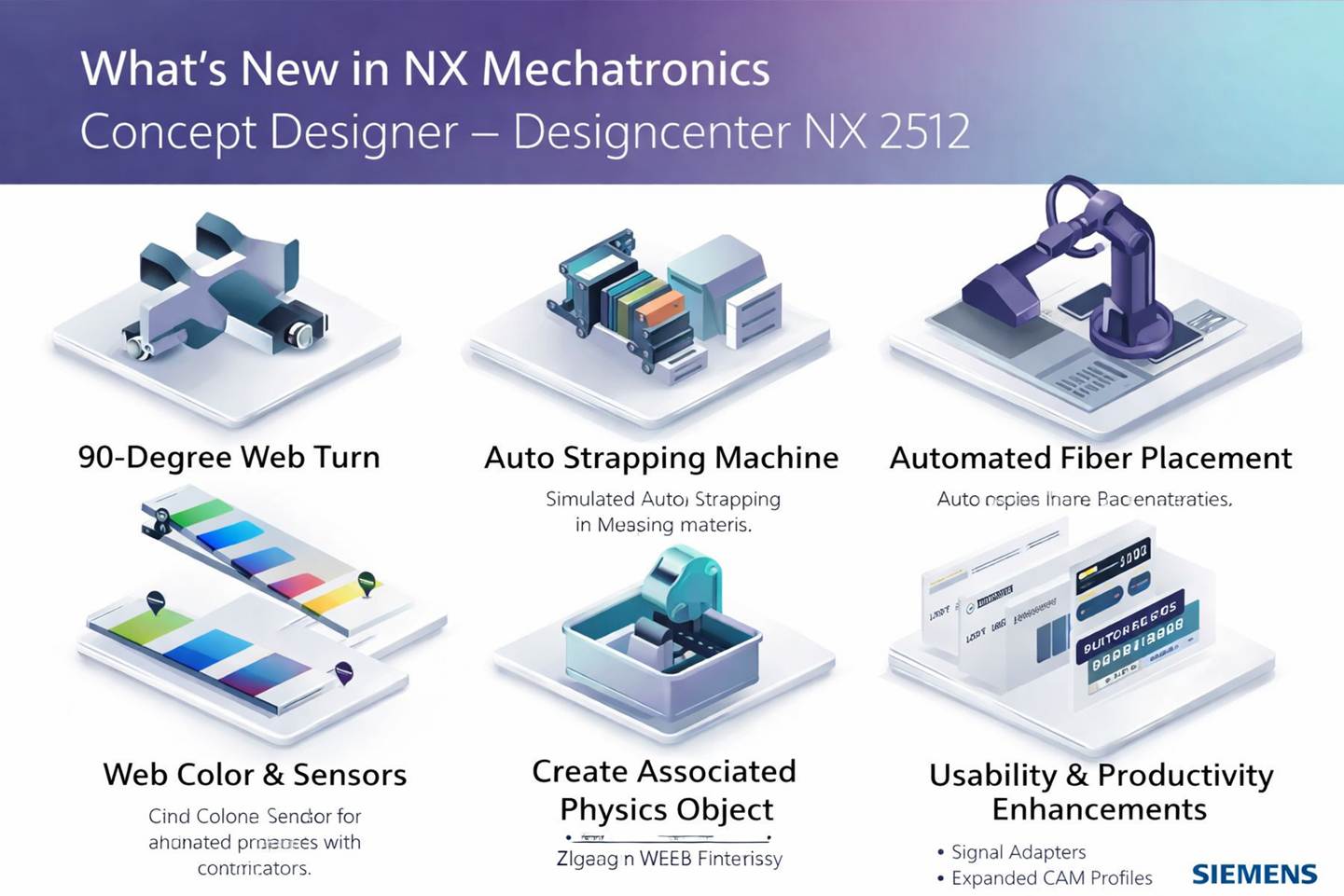
    NX Mechatronics Concept Designer (MCD) in Designcenter NX 2512 introduces major functional and usability enhancements, significantly expanding simulation and virtual commissioning capabilities for next-generation industrial machines. This release focuses on advanced Web Handling System workflows, new automated machine support, and numerous productivity improvements, addressing the growing demands of machine builders, system integrators, and manufacturing engineers.
    Overview of NX Mechatronics Concept Designer

    NX Mechatronics Concept Designer is a multidisciplinary engineering solution that enables mechanical, electrical, and control system design within a single integrated environment. It supports:

    • Concept-level machine design
    • Physics-based motion simulation
    • Scalable system behavior modeling
    • Software and hardware-in-the-loop Virtual Commissioning

    By validating machine concepts early, companies can significantly reduce engineering risks, development costs, and time-to-market.


    1. Major Enhancements to the Web Handling System

    Expanded Web Handling Capabilities

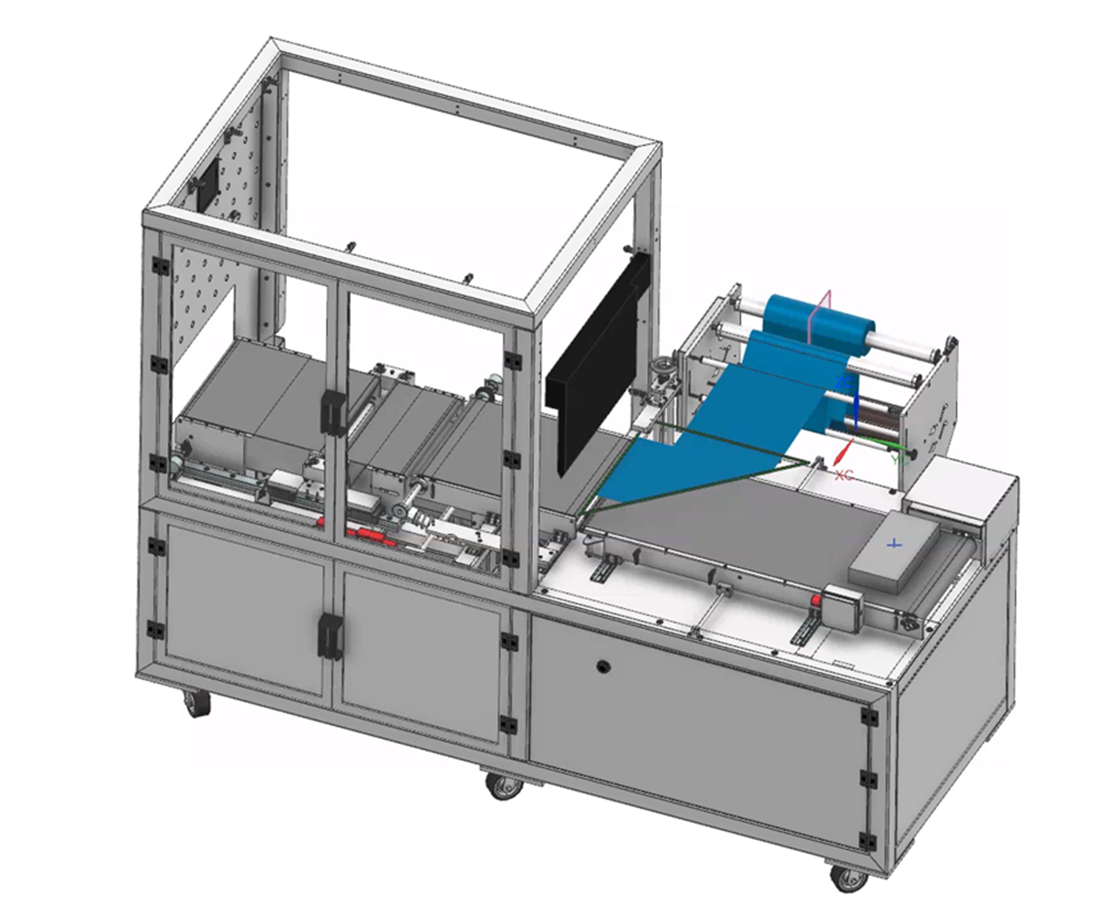
    Designcenter NX 2512 significantly broadens the scope of supported Web Handling use cases, enabling simulation and commissioning of more complex machines across packaging, printing, textile, and continuous material processing industries.
    Key new capabilities include:
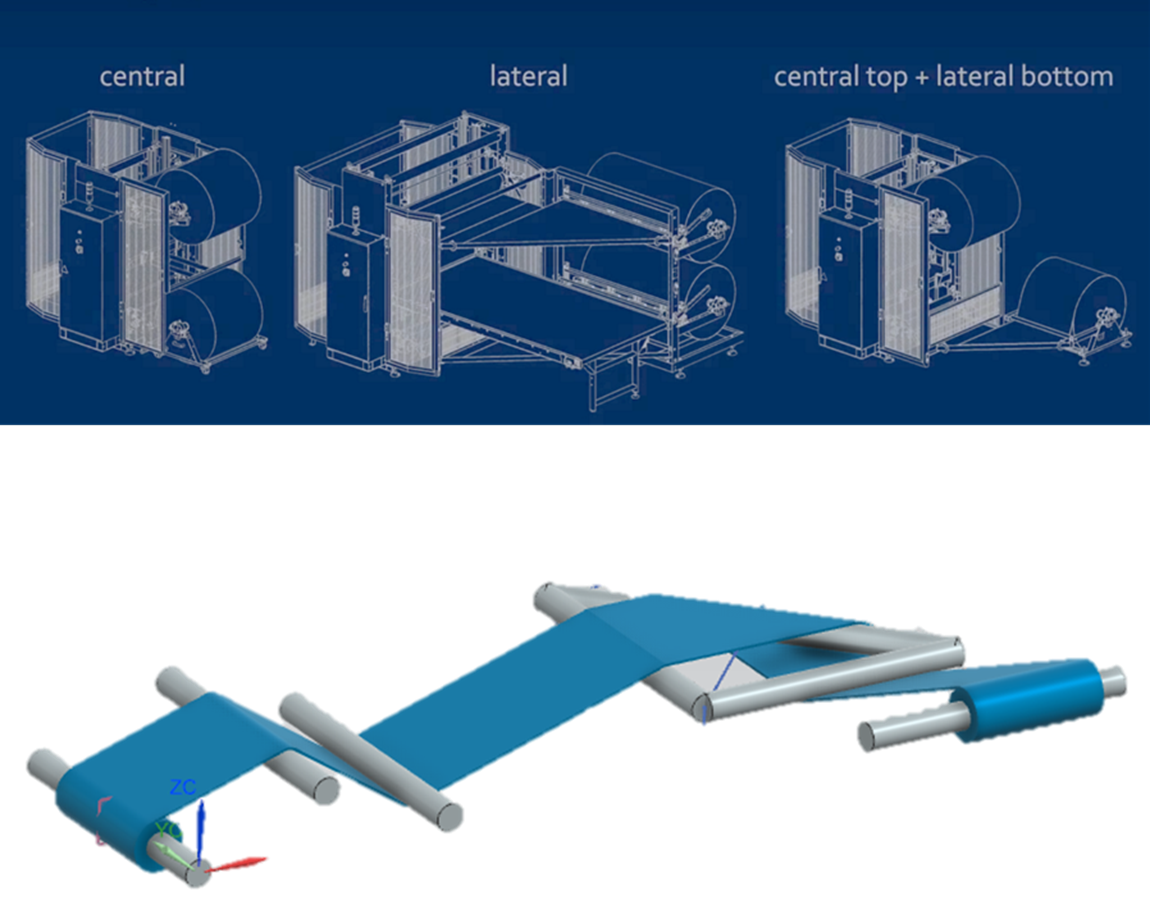
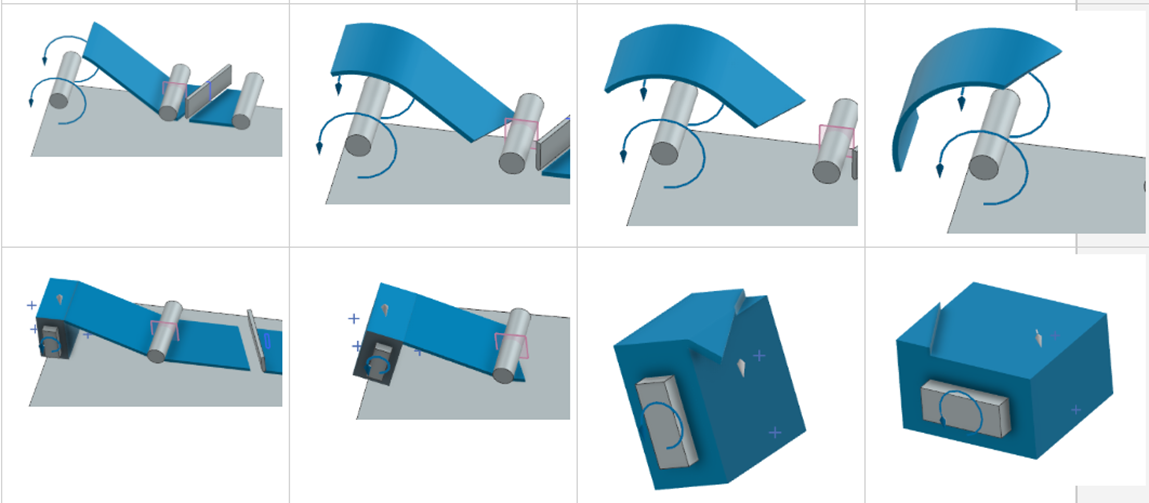
    • 90-Degree Web Turn
      Coplanar rollers arranged in an isosceles right triangle can now generate a true 90-degree web turn, supporting new machine layouts and flexible configurations.


    • Tilt Cut Display Support
      Improved visualization accuracy when cutting webs at an angle, ensuring correct display for complex cutting scenarios.

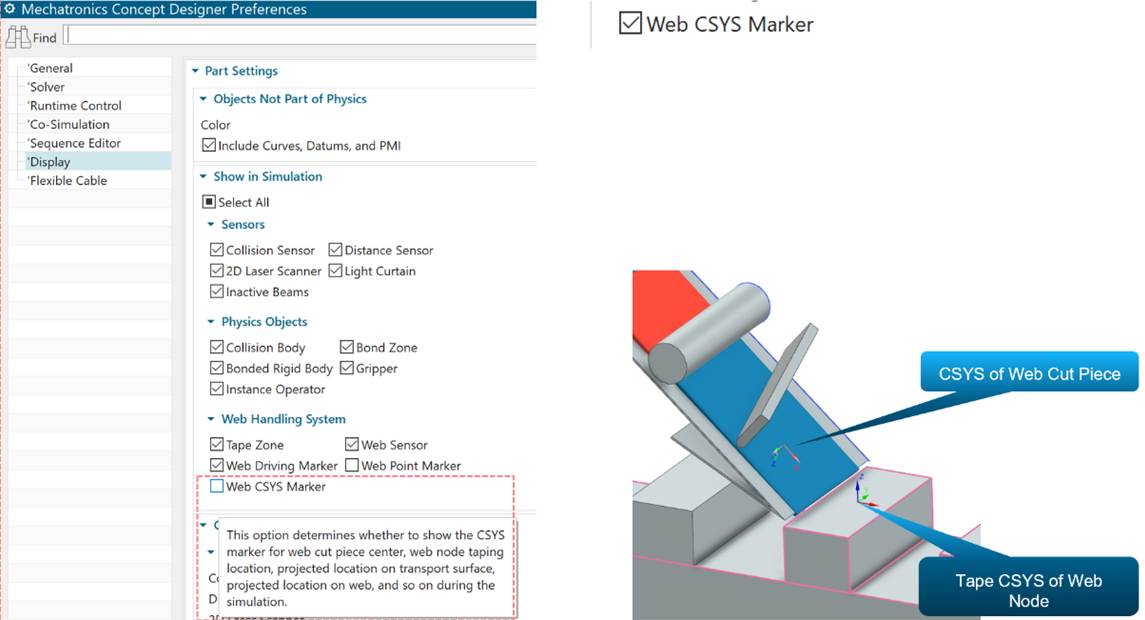
    • Enhanced Web Tape Zone
      Consistent coordinate systems (CSYS) for all tapings generated during simulation, improving downstream handling and accuracy.

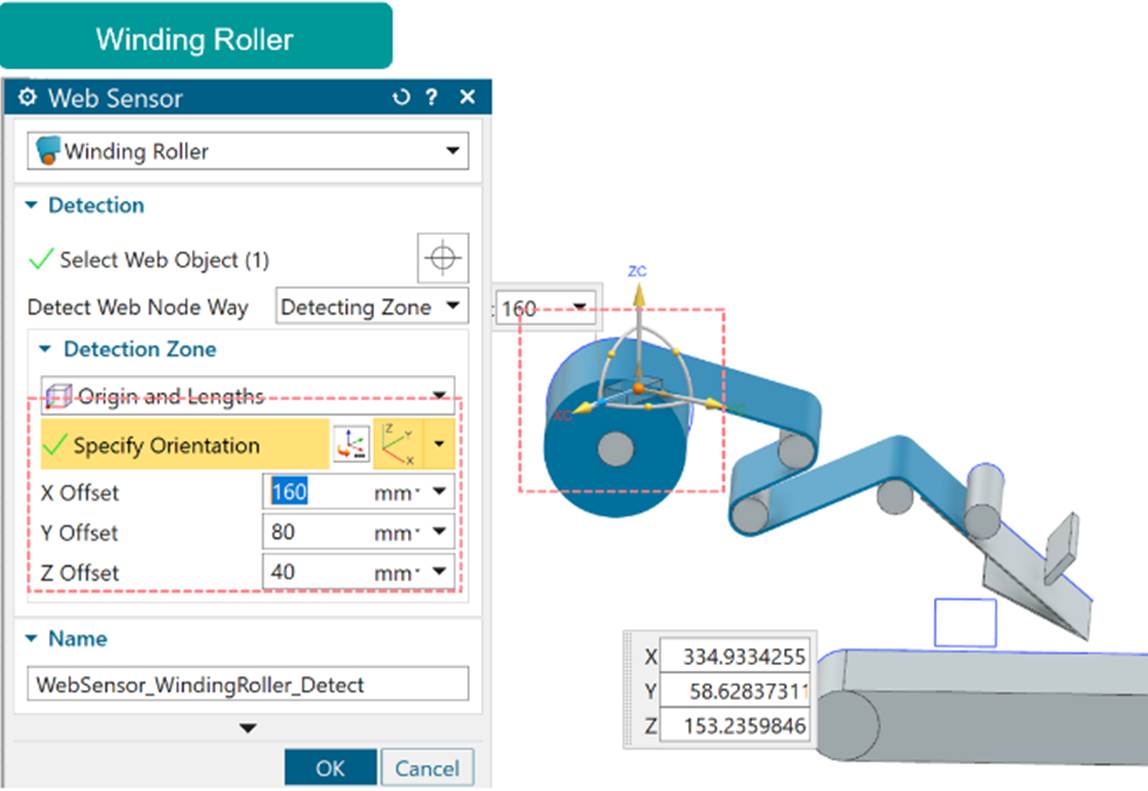
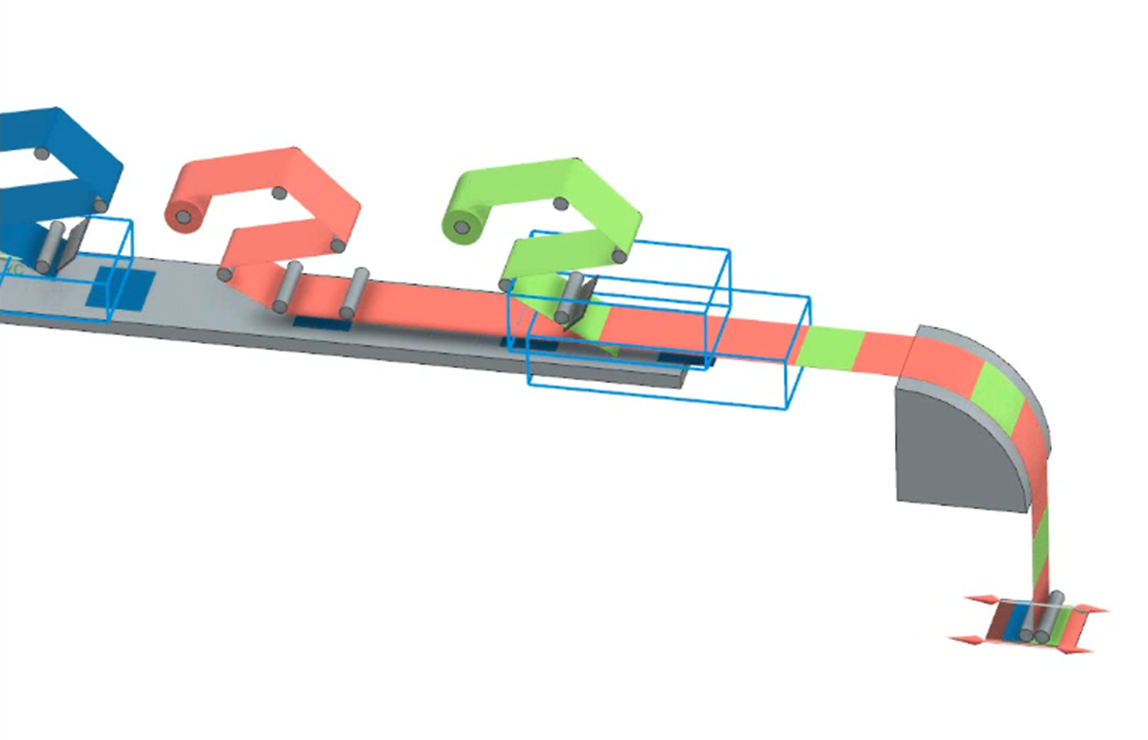
    • Web Color and Sensor Enhancements
      Real-time color modification of web segments to highlight critical areas and improve sensor detection precision.

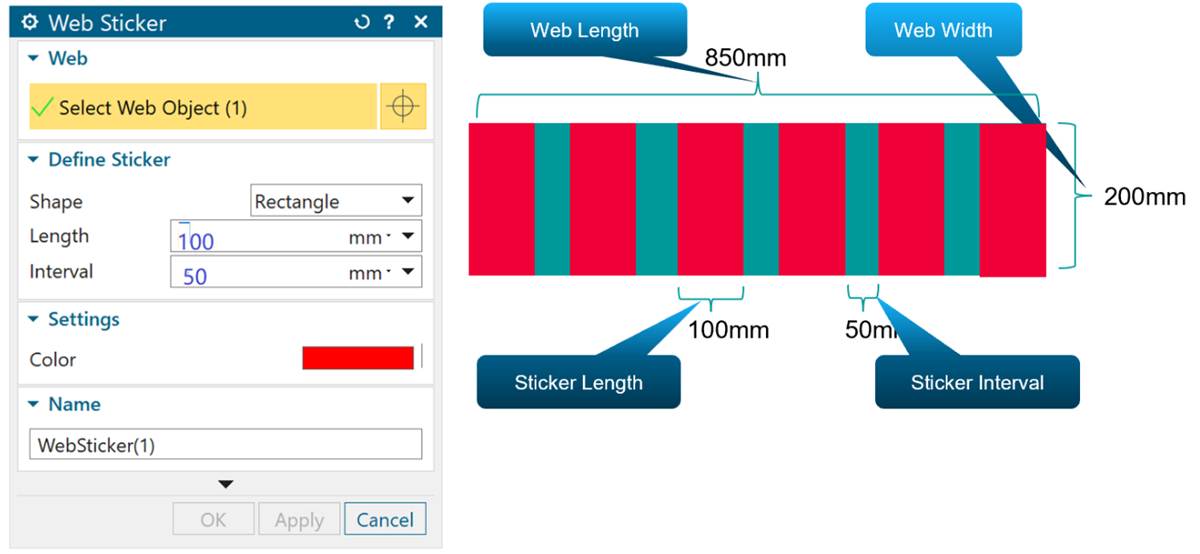
    • Web Sticker
      High-contrast patterns applied to webs to clearly visualize motion direction and behavior during simulation.


    2. Improved “Create Associated Physics Object” Workflow

    The Create Associated Physics Object feature has received multiple quality-of-life improvements:

    • New Create Container toggle
    • Expanded support for additional web and zigzag configurations, including:
      • Zigzag with plate
      • Zigzag with cut piece
      • Zigzag without interlayer
    • Faster and more intuitive setup of physics-based simulations

    These enhancements help engineers build realistic material flow simulations more efficiently.

    3. Support for New Automated Machine Types

    Auto Strapping Machine Simulation

    NX MCD 2512 now supports simulation of Auto Strapping Machines, commonly used in textile baling and industrial packaging:
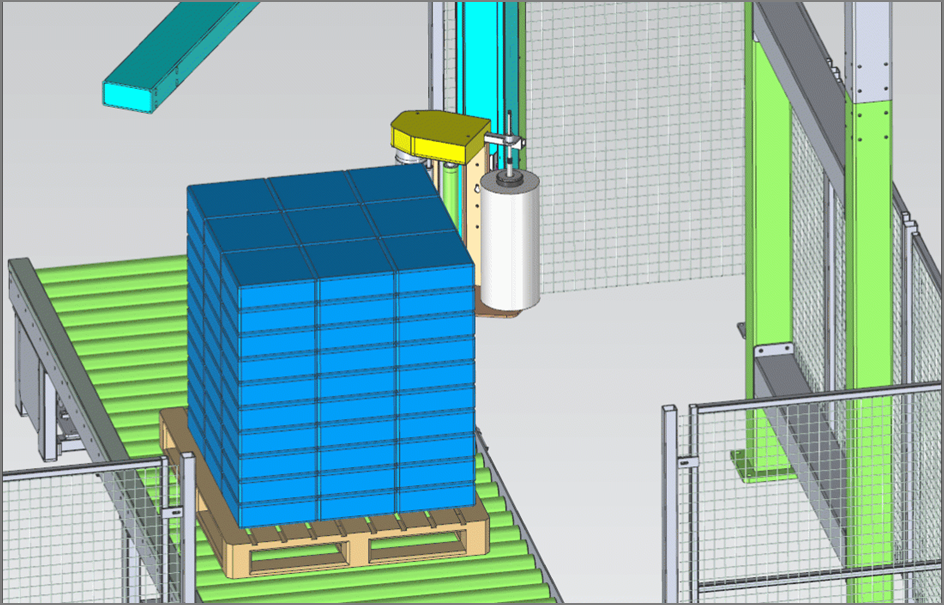
    • Simulation of strapping and wrapping motion
    • Foundation for upcoming baling reports and wrapped target modification features

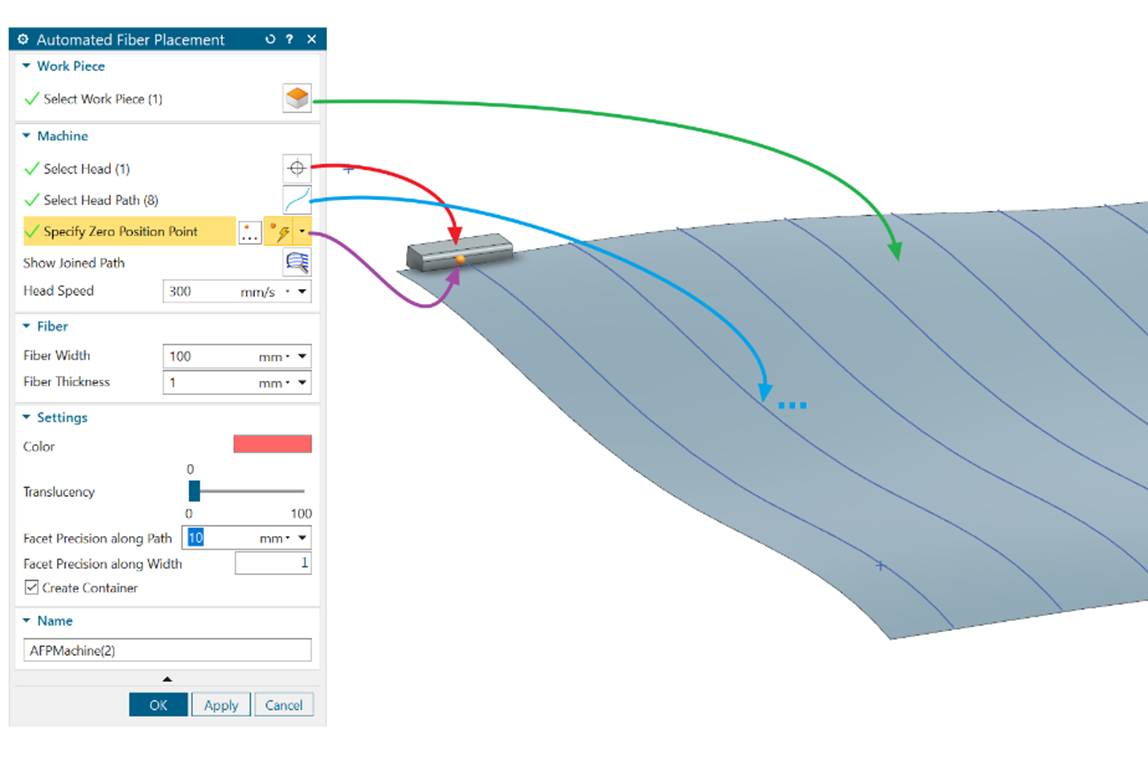
    Automated Fiber Placement (AFP)

    Support for Automated Fiber Placement machines has been introduced:

    • Single-layer fiber placement along an input path
    • Detection and reporting of overlaps and gaps after simulation
    • Preparation for future robot behavior support

    This is especially valuable for composite manufacturing and advanced materials industries.

    4. Usability and Simulation Productivity Improvements

    Designcenter NX 2512 also delivers a wide range of usability enhancements that streamline daily engineering tasks:
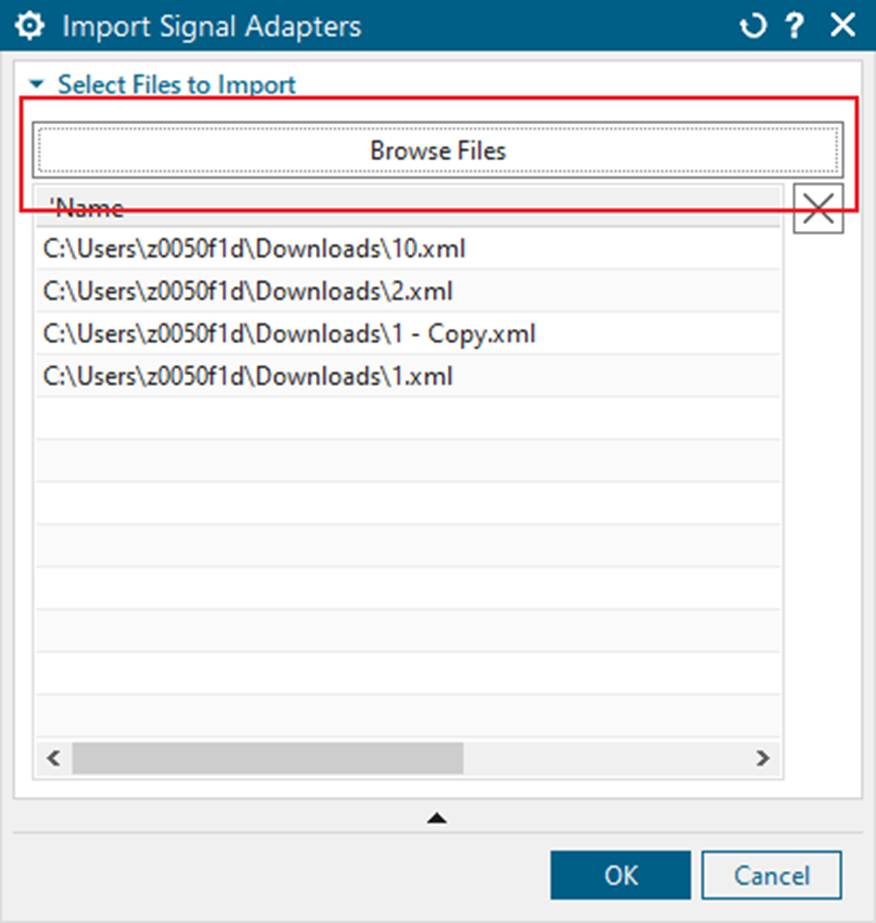
    • Multiple selection when importing Signal Adapters, with automatic duplicate detection


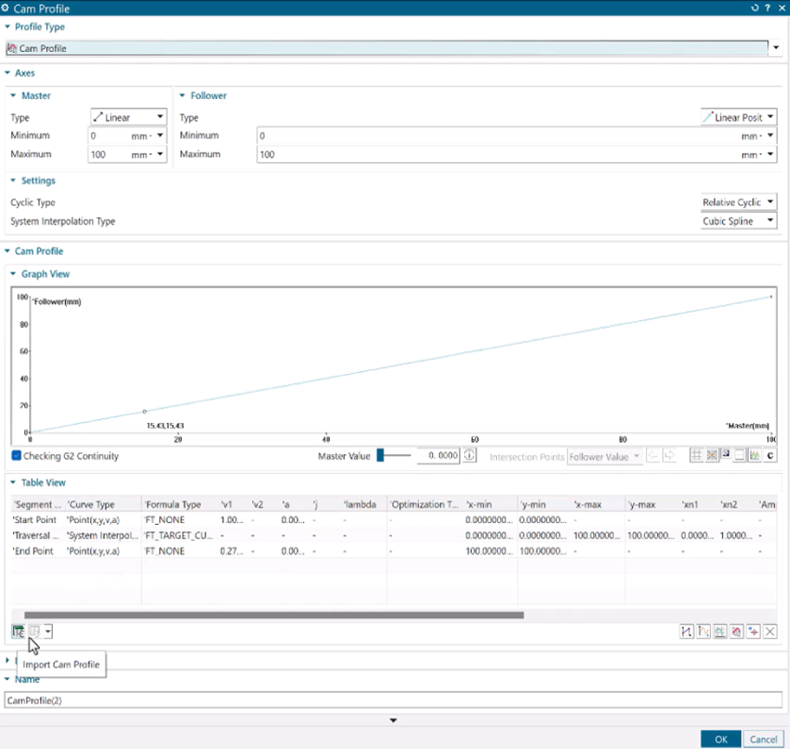
    • Expanded CAM Profile Functions, supporting multi-variable profiles (x, y, z, a) from native CAM files

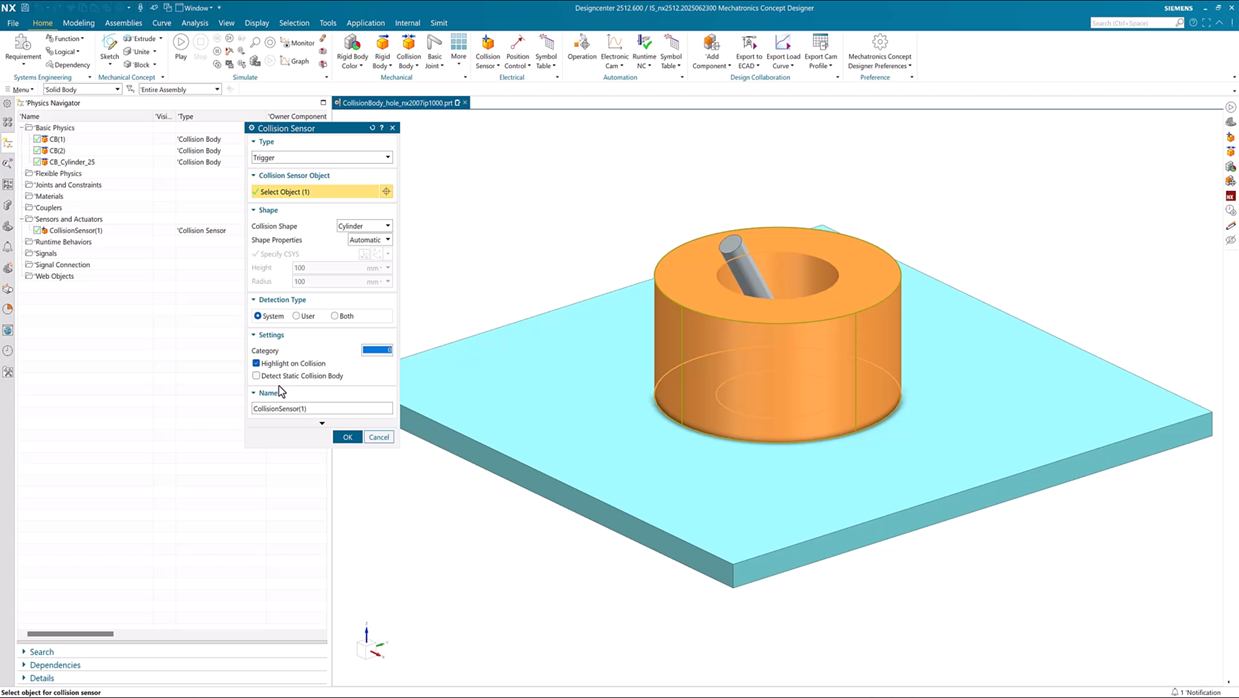
    • Static Collision Sensor Support, detecting all collision bodies regardless of rigid body assignment

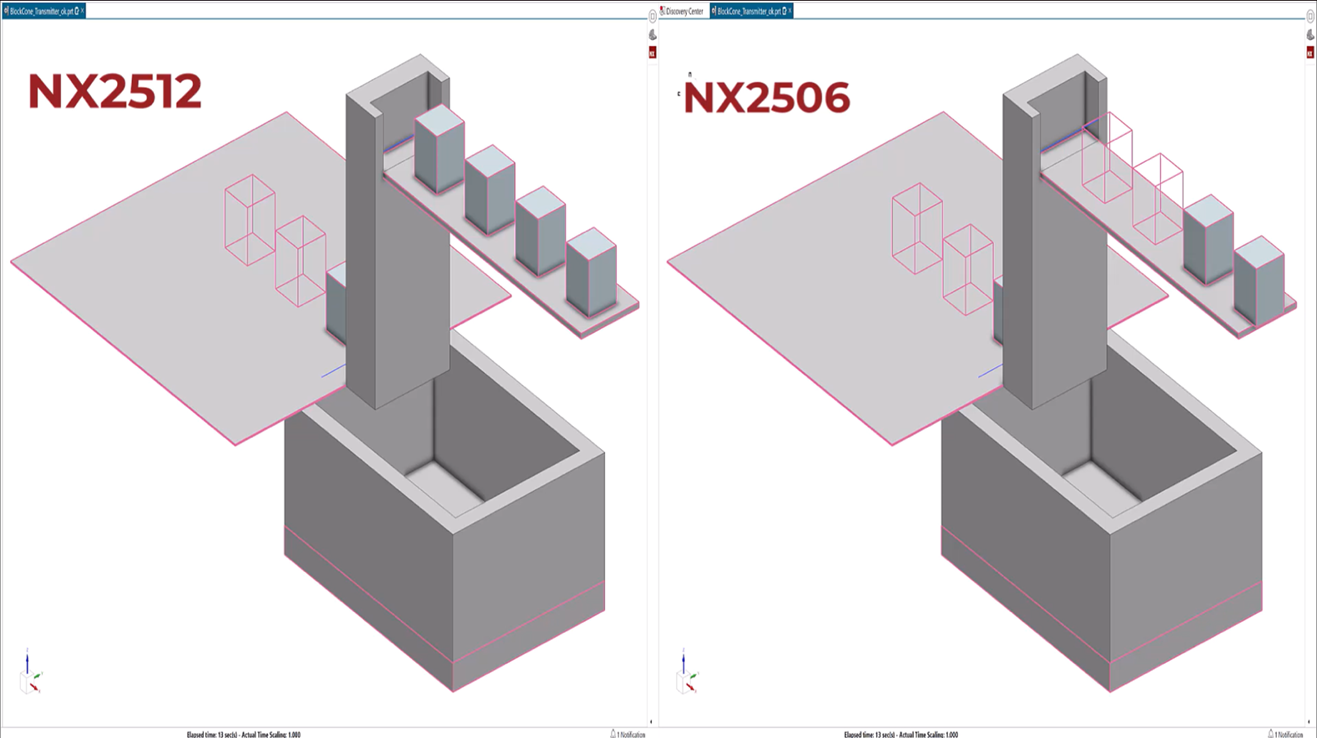
    • Rigid Body Display Update for Object Transformers, ensuring consistent visualization when objects pass through transmitters

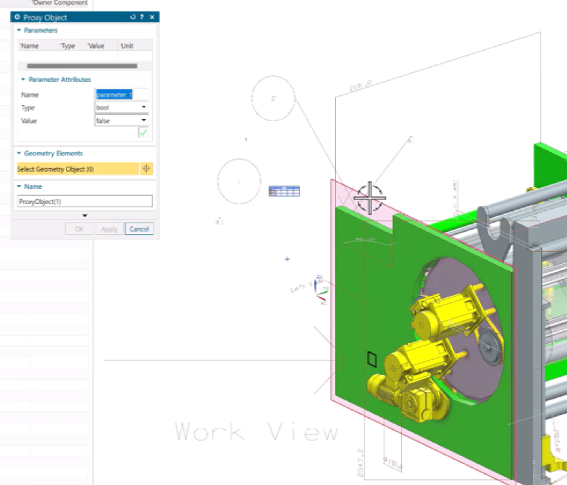
    • Enhanced Proxy Objects, now supporting PMI, Datums, and CSYS references

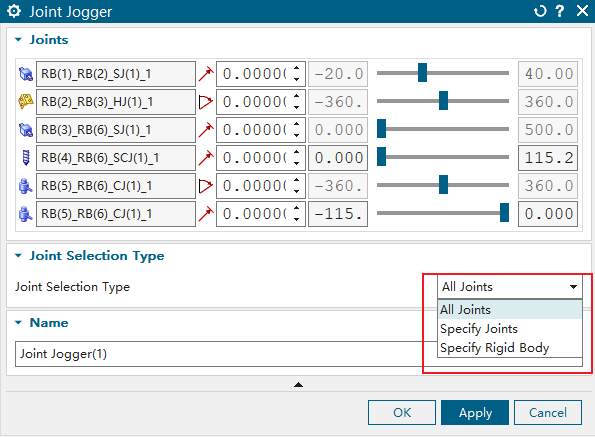
    • Joint Jogger Filtering, enabling faster identification and control of specific joint types or rigid bodies


    5. Key Benefits for Machine Builders and Manufacturers

    With NX Mechatronics Concept Designer in Designcenter NX 2512, organizations can:

    • Validate complex machine concepts early in the design phase
    • Improve collaboration across mechanical, electrical, and controls disciplines
    • Reduce commissioning time through early virtual validation
    • Increase machine reliability before physical build
    • Accelerate innovation while minimizing development risks

    Conclusion

    Designcenter NX 2512 – Mechatronics Concept Designer represents a significant advancement in Siemens’ digital machine engineering portfolio. The expanded Web Handling System, support for new automated machine classes, and comprehensive usability improvements make NX MCD a powerful solution for designing, simulating, and virtually commissioning modern industrial machinery.

    For companies seeking an integrated, scalable, and physics-based mechatronics design platform, NX Mechatronics Concept Designer 2512 delivers a strong competitive advantage.
     
    • Chia sẻ qua viber bài: WHAT’S NEW IN NX MECHATRONICS CONCEPT DESIGNER (NX MCD) – DESIGNCENTER NX 2512
    • Chia sẻ qua reddit bài:WHAT’S NEW IN NX MECHATRONICS CONCEPT DESIGNER (NX MCD) – DESIGNCENTER NX 2512

    Tin tức liên quan

    NX Design Packages: Comparing Siemens NX Hybrid SaaS and NX X SaaS Design Solutions

    NX Design Packages: Comparing Siemens NX Hybrid SaaS and NX X SaaS Design Solutions

    09/03/2026
    66
    Overview about Siemens NX software In today’s competitive manufacturing environment, companies must accelerate product development while maintaining high levels of quality and innovation. Siemens NX provides a powerful and integrated CAD/CAM/CAE platform that enables engineering teams to design, simulate, and manufacture products within a single environment.
    Xem thêm
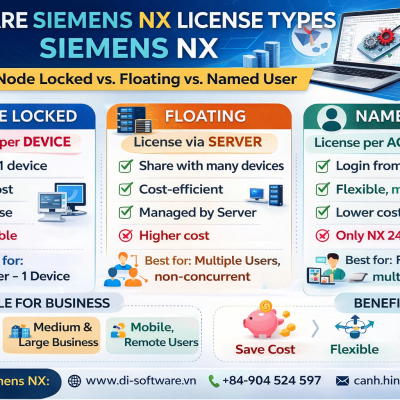
    Siemens NX License Types: Node Locked, Floating, and Named User – Which One Should You Choose?

    Siemens NX License Types: Node Locked, Floating, and Named User – Which One Should You Choose?

    08/03/2026
    91
    When implementing Siemens NX, one of the key factors organizations need to consider is the licensing model. Choosing the right license type not only affects software costs but also determines how flexibly engineers can access and use the system.Currently, Siemens NX offers three main licensing models:Node Locked LicenseFloating LicenseNamed User LicenseEach license type is designed to support different usage scenarios and organizational needs.
    Xem thêm
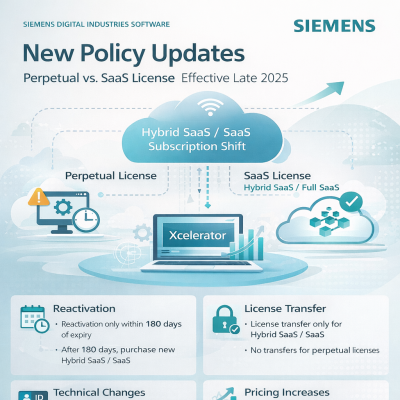
    OVERVIEW OF NEW POLICIES FROM SIEMENS DIGITAL INDUSTRIES SOFTWARE: WHAT CUSTOMERS NEED TO KNOW FROM 2025–2026

    OVERVIEW OF NEW POLICIES FROM SIEMENS DIGITAL INDUSTRIES SOFTWARE: WHAT CUSTOMERS NEED TO KNOW FROM 2025–2026

    22/12/2025
    236
    As part of its long-term strategy to accelerate Xcelerator as a Service (XaaS) and subscription-based business models, Siemens Digital Industries Software has officially introduced several important policy changes affecting software licensing, maintenance, technical services, and pricing. These updates have a direct impact on customers using Perpetual Licenses, as well as organizations planning renewals, expansions, or system upgrades. This article provides a clear, structured, and practical explanation of the new policies to help businesses make informed decisions.
    Xem thêm