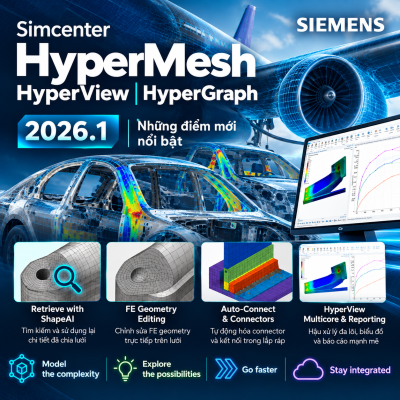

Simcenter Simsolid 2026.1 (2606) continues to advance structural analysis directly on native CAD models, without requiring geometry simplification or conventional finite element meshing. This release focuses on analyzing complex assemblies, improving result reliability and performance, and strengthening data connectivity with NX and Teamcenter.
Updates are organized around four themes: Model the complexity, Explore the possibilities, Go faster, and Stay integrated. Simcenter Simsolid enables rapid analysis of fully detailed CAD assemblies on desktop, cloud, and HPC platforms. Application examples presented in the slides include RINGER (scaffolding structures) and Tadano (lifting equipment structures).
.png)
In assemblies with relative motion, combining Squeak and Rattle results may fail to adequately identify certain events caused solely by frictional sliding.
Simcenter Simsolid 2026.1 introduces a separate Squeak evaluation output and an improved peak-to-peak assessment method that reflects actual relative displacement across time steps.
Key benefits:
.png)
Sampling point density along contact interfaces directly affects evaluation detail and computational time.
The new Spacing parameter provides precise control over the distance between sampling points, allowing users to adjust sampling density to geometry and analysis requirements.
Key benefits:
.png)
Previously, limited visibility and management of individual sampling point sets made it difficult to review Squeak & Rattle model settings.
A new dialog enables comprehensive viewing and real-time editing of sampling point sets, allowing the sampling scope to be verified during model preparation.
Key benefits:
.png)
A single global tolerance does not always adequately represent the physical behavior of assemblies with different contact types.
The new release allows separate Open/Close and Stick/Slip tolerances for each sampling point set instead of relying solely on global settings.
Key benefits:
.png)
Conventional linear buckling analysis has limitations when an assembly’s contact state changes under loading.
Simsolid 2026.1 supports linear buckling with contact nonlinearity, retaining the contact state from the structural analysis for buckling assessment.
Key benefits:
.png)
Some geometric features may not be adequately adapted in dynamic analyses, leading to discrepancies in predicted stress distributions.
The Adapt to Features option has been added to modal analysis. The system monitors traction error during analysis to help improve stress distributions in dynamic solutions.
Key benefits:
Illustrative example: peak stress is 38.2 MPa in OptiStruct, 56.3 MPa in Simsolid 2026.0, and 37.2 MPa in Simsolid 2026.1. These values refer to the specific example model and do not represent all analyses.
.png)
Manually locating local peaks and valleys on contour plots can be time-consuming and may overlook important locations.
The Local Extrema tool automatically identifies both local maximum and minimum values in displayed results.
Key benefits:
.png)
For large models, users often need to evaluate the behavior of a particular region rather than the entire assembly.
The Result Box option limits result visualization and plotting to a user-selected model region.
Key benefits:
.png)
Distinguishing forward whirl from backward whirl in rotor analysis results is essential when evaluating rotational vibration behavior.
Each mode now explicitly displays its whirl direction, enabling users to identify the motion characteristics directly.
Key benefits:
.png)
For complex assemblies, the geometric adaptation strategy affects both result correlation and solution time.
Alternative Adaptation improves geometric representation, particularly for parts with holes and plate-like structures, while reducing runtime on two test models.
Key benefits:
Slide benchmark times (minutes): a 3,308-part model decreased from 46 to 32 minutes; a 2,435-part model decreased from 33 to 18 minutes (2026.0 versus 2026.1).
.png)
Connections with unfavorable geometric aspect ratios can cause numerical instability and may prevent some analyses from converging.
Connection-handling algorithms have been improved for these cases; models that previously encountered error ID 18 may now be solved more reliably.
Key benefits:
.png)
Defining each remote mass and manually mapping it to target faces is time-consuming when a model has many mass attachment locations.
Simsolid 2026.1 can read remote masses directly from a CSV file and automatically map them to selected faces.
Key benefits:
.png)
Different dialogs previously used inconsistent methods to define direction vectors, slowing down model setup.
A new widget offers multiple methods of specifying a vector, including direct vector input and angle-based definitions through a dialog or manipulator.
Key benefits:
In practice, rotational speed can vary over time according to complex profiles that cannot be represented by a single constant value.
Users can define rotor speed as a function using a CSV file, standard templates, or manually entered data.
Key benefits:
.png)
When creating edge-to-surface connections or sampling points on curved surfaces, selecting consecutive edges individually requires many operations.
The Tangency option selects an entire tangent edge chain in a single operation.
Key benefits:
Creating multiple datum planes at specified increments or intervals typically requires repetitive operations.
The command now supports batch creation of datum planes using custom increments and spacing.
Key benefits:
Wind and solar radiation analyses can require considerable processing time, particularly for geometrically complex models.
Release 2026.1 improves load-mapping algorithms and the identification of loaded and shaded regions.
Key benefits:
.png)
When simulation project data is managed separately from PLM, tracing results to a specific design revision can be difficult.
Simsolid 2026.1 supports directly saving and opening .SSP project files in Teamcenter, bringing simulation data into a unified product management workflow.
Key benefits:
Manually transferring models between CAD and CAE environments introduces repeated import/export steps and complicates change management.
NX–Simsolid Connect provides direct geometry transfer from NX to Simsolid; release 2606 further extends this integration.
Key benefits:
When geometry is transferred from NX to Simsolid, manually redefining materials can be time-consuming and introduce property inconsistencies.
The NX plug-in now automatically transfers material properties from NX to Simsolid during model transfer.
Key benefits:
Parts suppressed in NX could previously still appear after transfer to Simsolid, requiring users to delete or hide them manually.
The updated NX plug-in automatically excludes suppressed parts from transfer, ensuring the Simsolid model reflects the active design configuration.
Key benefits:
Uninformative error messages during geometry transfer made it time-consuming to diagnose failures.
Improved messaging describes data transfer issues more clearly and helps identify where errors occur.
Key benefits:
.png)
In addition to enhanced Squeak & Rattle, buckling, and rotordynamics analyses, release 2026.1 improves result assessment with Local Extrema and Result Box; streamlines model setup through CSV, datum planes, and geometry operations; and strengthens CAD/PLM data integration.
Simcenter Simsolid 2026.1 is a practical update for structural simulation: easier setup, clearer result assessment, more robust assembly analysis, and deeper integration into digital engineering workflows. The new capabilities help shorten design validation cycles without requiring engineers to generate conventional FEA meshes.f