
Simcenter SimLab 2026.1 enhances multidisciplinary CAE workflows with improved CAD/ECAD compatibility, faster model preparation, physics-specific meshing tools, broader solver and optimization integration, and expanded automation and data management capabilities.
.png)
Simcenter SimLab 2026.1 supports PLMXML combined with NX, JT, or Parasolid data. Support has been updated to NX 2512 and Parasolid V38.0.211, helping bring geometry from newer design systems into CAE workflows with fewer intermediate conversions.
.png)
A new option lets users import only NX design parameters that match a specified prefix. Engineers can limit the imported variables to those needed for a study or continue to import all parameters, depending on the workflow.
.png)
Compare Database now supports copying and pasting bodies between databases. This makes it easier to reuse geometry and meshes, and to consolidate data from multiple models without rebuilding them.
.png)
The Fill algorithm has been enhanced to automatically handle more gaps between planar faces. More reliable gap filling reduces extra geometry-repair steps before meshing.
.png)
For bodies containing multiple volumes, SimLab can simplify each volume independently based on its topology. This provides more targeted control over input geometry instead of applying the same simplification rule to every volume.
.png)
The gap-closing feature extends a target face to a limiting face to close a gap between two bodies. The operation is performed on CAD geometry, eliminating the need to compensate for the gap through mesh operations.
.png)
A new tool creates simplified shaft geometry from a detailed shaft body. It combines multiple manual defeaturing steps into a single operation, accelerating shaft model preparation.
Regions used for ECAD detailed modeling can now be exported to Parasolid files as sheet bodies or solid bodies. This lets engineers pass detailed regions to downstream analysis without rebuilding the geometry.
.png)
.png)
The ECAD wire import workflow has been enhanced to create wire geometry as solid bodies. This reduces post-import geometry edits, especially for electronic models containing complex wire routing.
CAD bodies can now be merged directly from Show Instance at the full-model or submodel level. Engineers can identify and merge instance-based bodies more smoothly without switching to a separate manual merge tool.
The measurement tool can measure the distance between two bodies and update the value dynamically during animation. This supports direct clearance and relative-motion checks when evaluating mechanisms.
.png)
Body visibility can be synchronized across databases displayed side by side. When visibility changes in one model, the others update accordingly, reducing the risk of comparing the wrong components.
.png)
The Move tool includes an option to clear the selection automatically after Update, along with more intuitive alignment controls. This reduces clicks when repositioning multiple objects in sequence.
.png)
The cutting-plane workflow now provides alignment to lines and points, easier plane control, and clearer model coloring. Engineers can inspect cross-sections at the locations they need more conveniently.
The default Save behavior now overwrites the existing database instead of automatically creating multiple versioned files. Users can still retain versioned saves when required by their workflow..png)
.png)
Automatic meshing checks and attempts to repair hex-mesh errors. If invalid elements remain, the system can generate a replacement tetra mesh. This reduces manual quality checks and intervention in automated workflows.
Automatic Meshing can create Hex, Tet, or Midmesh with Quad or Tri elements and higher- or lower-order formulations for selected bodies or the entire CAD model. It supports Normal Modes, Linear Static, Nonlinear Static, and Modal Frequency Response analyses. Body-level mesh controls take priority over the automatic settings.
.png)
Concentric imprint mesh regions are now created as separate groups. These groups can be reused in downstream steps, improving consistency and stability in automated workflows.
.png)
A new option preserves internal faces when multiple bodies are fused and prioritizes selected faces for retention. Boundaries between materials, internal contacts, and simulation regions can therefore be maintained after the Fuse operation.
.png)
The tool identifies holes containing bolt bodies and creates the corresponding washer mesh controls. Engineers no longer need to assign washer regions manually one by one in large bolted assemblies.
.png)
Angular Symmetry Mesh Control is now honored during remeshing. The updated mesh retains the original symmetry settings, supporting consistent model preparation.
.png)
The Local Remesh dialog has been reorganized and now includes an option to remesh additional adjacent element layers. Engineers gain more precise control over the affected area when repairing a local mesh.
.png)
The Grid Mesh Project Nodes option projects nodes onto the true CAD face instead of the tessellated representation. This helps improve geometric accuracy and mesh quality during updates.
.png)
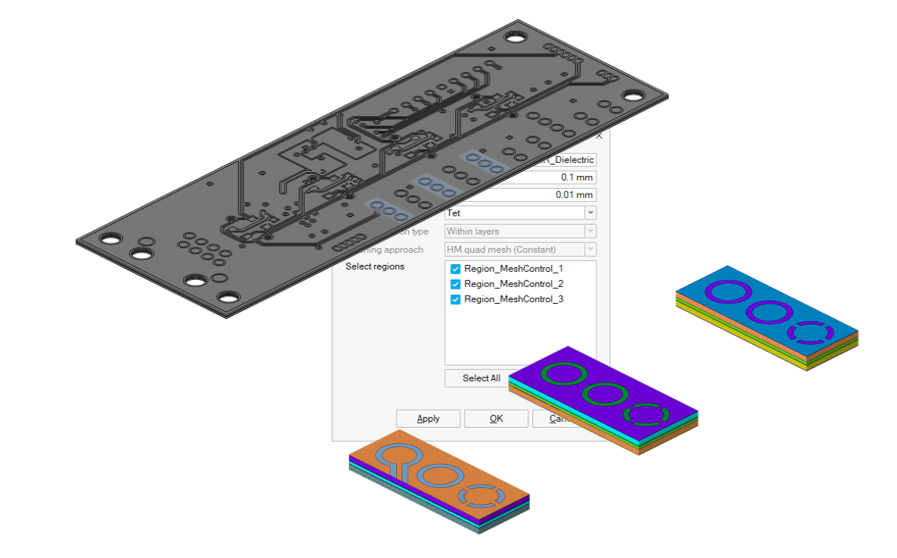
Selected PCB sheet bodies can now be used to create multiple detailed submodels. This reduces repetitive operations during electronic model preparation.
SimLab now supports a Rectangular Slot Stator Profile. Engineers can control the representation of conductors and insulators, as well as mesh density, for different electric-motor analysis needs.
.png)
.png)
The Structure Only Export option excludes acoustic-fluid data when a full acoustic analysis is not yet required. Engineers can first evaluate structural responses such as displacement or ERP before proceeding to acoustic validation.
.png)
Meta particles can now be created directly in SimLab to represent materials such as fibers or grass. This expands DEM applications while reducing the need to build complex particle models externally.
.png)
Particles can be generated using specified size distributions, for both standard particles and meta particles. This provides a more realistic representation of bulk materials than using a single uniform particle size.
.png)
When defining the initial fluid state for an open container, users can generate SPH particles from a plane or cuboid. This expands the ways initial fluid regions can be defined while reducing setup steps.
.png)
Essential parameters are now consolidated in a redesigned nonlinear setup dialog. Defining a nonlinear static analysis is faster and easier to review.
.png)
NLCTRL settings are now supported for both Nonlinear Static and Nonlinear Transient analyses. Solver-control parameters are easier to access and configure in SimLab.
.png)
Convergence Diagnostics helps engineers inspect each solution increment and identify potential causes of convergence issues. This provides a clearer basis for adjusting the analysis instead of troubleshooting through trial and error.
.png)
The integration automatically transfers parametric models and custom parts from Flux Motor to SimLab. This reduces repeated data entry when building electric-motor models for multiphysics analysis.
.png)
An integrated workflow connects parametric modeling, electromagnetic analysis, NVH/acoustics, CFD/thermal analysis, and system analysis for axial flux motors. Engineering teams can maintain consistent data across simulation disciplines.
.png)
A thermal solution has been added to calculate Engelmaier life for electronic components. Component-level thermal fatigue analysis can work directly with MCAD/ECAD geometry without requiring mesh generation.
.png)
Force Computation now supports Electrical Period in either automatic or user-defined mode. This provides more flexibility when extracting electromagnetic forces for different motor configurations.
.png)
.png)
SimLab models can be transferred to Simcenter HEEDS MDO using a script-based or solution-based approach. This connection supports Design of Experiments (DOE) and optimization across multiple design alternatives.
.png)
The integrated workflow combines parametric CAD creation in NX, physics setup in SimLab, and advanced optimization in HEEDS. Design changes can be explored sequentially within the same toolchain.
.png)
The setup and generation of reduced-order models now support motor types including PMSM, WFSM, and AFM. Characteristic data and lookup tables can be created more conveniently for system simulation.
.png)
Discrete design variables can be defined by step size or number of points, including evenly spaced points or specified value ranges. This reduces manual effort when defining parameter levels for DOE studies.
.png)
.png)
New commands allow users to open a database and run the active solution in batch mode, export responses by default, and update parameters from a parameter file before execution. This supports simulation sequences that run without direct user interaction.
.png)
DOM nodes now support the import and export of sketch entities. Automation scripts can handle sketch operations directly instead of relying on manual workarounds.
.png)
.png)
SimLab Python API utility functions have been added and enhanced to query, navigate, and interact with the active simulation database. This makes custom automation scripts easier to develop and maintain.
.png)
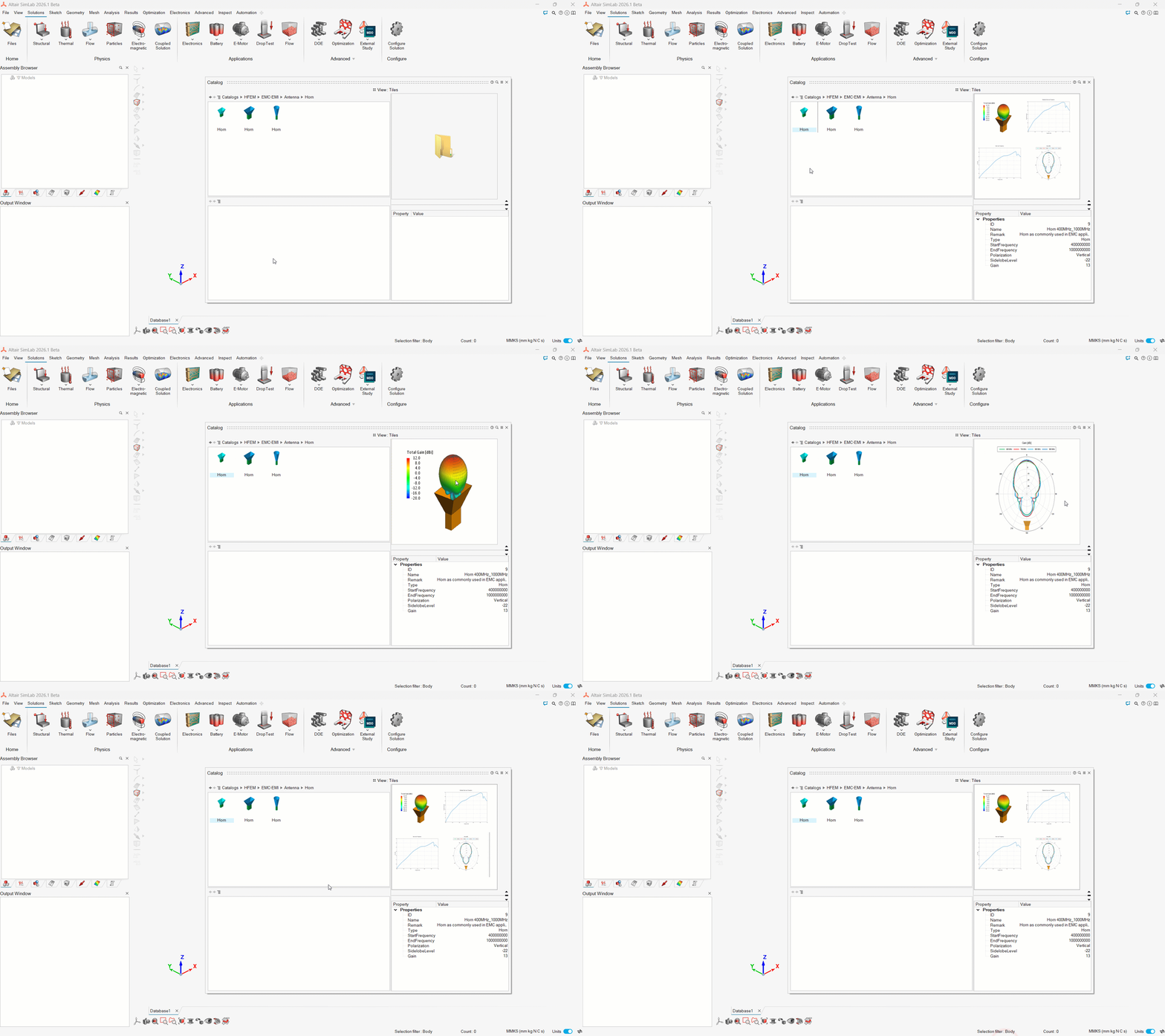
The catalog interface now offers List and Tile views, column-based search and sorting, and multiple image previews. Users can find the right item more easily in large data libraries.
Post-processing performance has been improved, and users can import geometry together with particle data to track deformation in coupled EDEM–OptiStruct simulations.
.gif)
SimLab can display element contours when result data are available at only one node. This extends result visualization for certain model and element types.

Vectors can now be displayed directly when calculating stress resultants, making the direction and distribution of result quantities easier to interpret.
.png)
Custom Node Path supports consecutive straight segments and circular arcs. Engineers can plot results along complex geometric paths instead of being limited to a single segment.
.png)
Saving images for individual scenes alongside the database makes reporting faster and helps organize simulation data in a logical folder structure.
.png)
Simcenter SimLab 2026.1 further strengthens its role as an environment for setting up and managing multiphysics simulations. Its key value lies not in a single command, but in connecting data preparation, meshing, solving, results evaluation, and design exploration into a more cohesive workflow. Specific benefits depend on the model, solver, and implementation configuration.