
Among these, Milling features the most extensive range of improvements, with eight new capabilities covering roughing, face milling, corner treatment, and toolpath calculation optimization. For Turning, the key highlight is the Rough Turn Adaptive strategy, developed to address the challenges of machining difficult-to-cut materials in industries where high precision is essential.
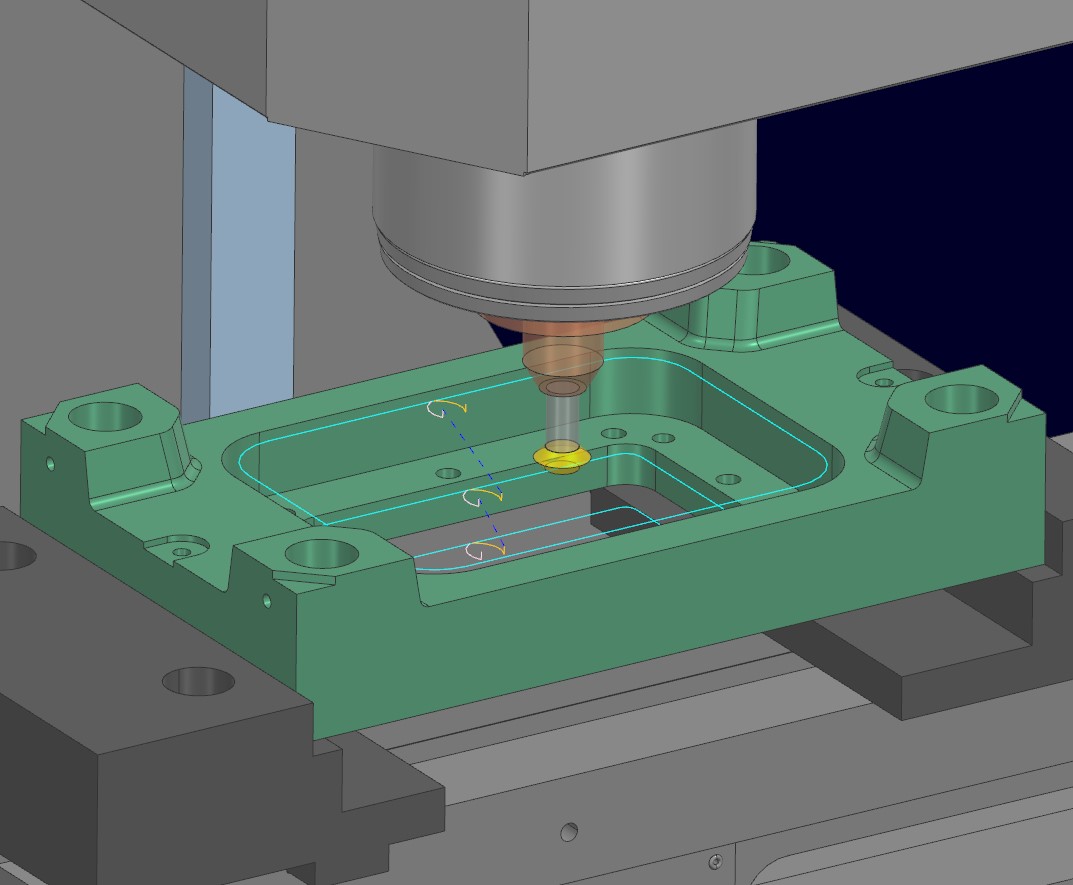
The Planar Deburring feature has been expanded to support a wider range of cutting tools, including:
This expanded tool support allows programmers to select the appropriate tool geometry for specific edge conditions, eliminating the need for alternative methods or additional manual operations.
NX CAM 2606 also supports three deburring modes:
This helps reduce the number of operations required, particularly for flat parts with edges that need to be processed across multiple surfaces.
In addition, users can control the overlap on closed contours, engage and retract motion heights, and use a linear lead-in motion. These options help maintain consistent edge quality, minimize missed machining areas, and reduce the risk of tool marks being left on the workpiece.
The 3D Adaptive Roughing and Quick Roughing operations now offer enhanced control over non-cutting motions between machining regions and cutting levels.
New options include:
These enhancements allow programmers to select the appropriate retract height based on the part geometry, minimizing unnecessary non-cutting movements while maintaining a safe clearance distance.
Better control over Non-Cut Motion helps reduce cycle time, improve toolpath safety, and minimize unpredictable movements between separate cutting regions.
.jpg) | .jpg) |
.png) | .png) |
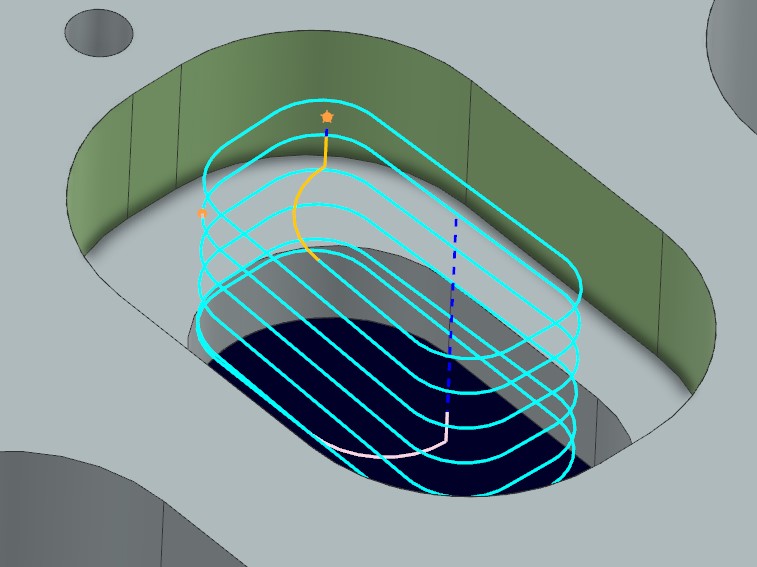
NX CAM 2606 adds Helical Cut Pattern directly to the Planar Mill operation.
Previously, creating helical toolpaths for 2.5D pockets or bosses often required programmers to combine multiple operations or use alternative approaches. With the new release, helical motion parameters can be configured directly within the same dialog, including:
This feature combines roughing and finishing strategies for 2.5D pockets or bosses into a unified workflow, reducing programming complexity and minimizing errors caused by managing multiple separate operations.
.jpg)
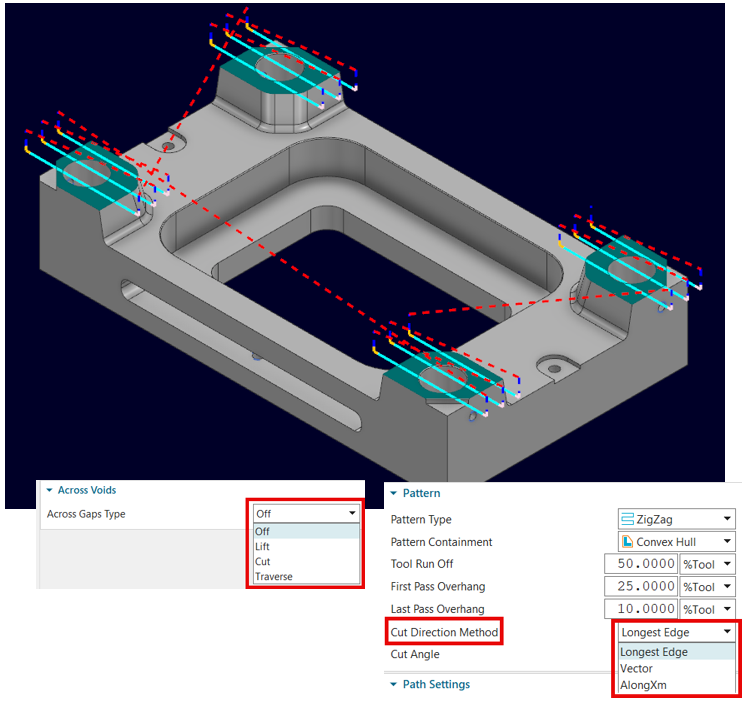
The Face Mill Zig Zag operation has been enhanced to support the selection of multiple surfaces when Blank Type is set to Thickness.
Instead of creating a separate operation for each surface, users can now select multiple surfaces and process them within a single operation. This helps reduce setup time and keeps the CAM program tree more streamlined.
NX CAM 2606 also provides two options for controlling the machining sequence:
The optimization mode can reduce non-cutting movements and shorten machining cycles, while the user-defined mode is ideal when programmers already know the optimal sequence for a specific part.
The new options also provide greater control over tool movements across open areas, holes, and pockets, while allowing users to adjust the cutting angle to improve machining stability and surface quality.
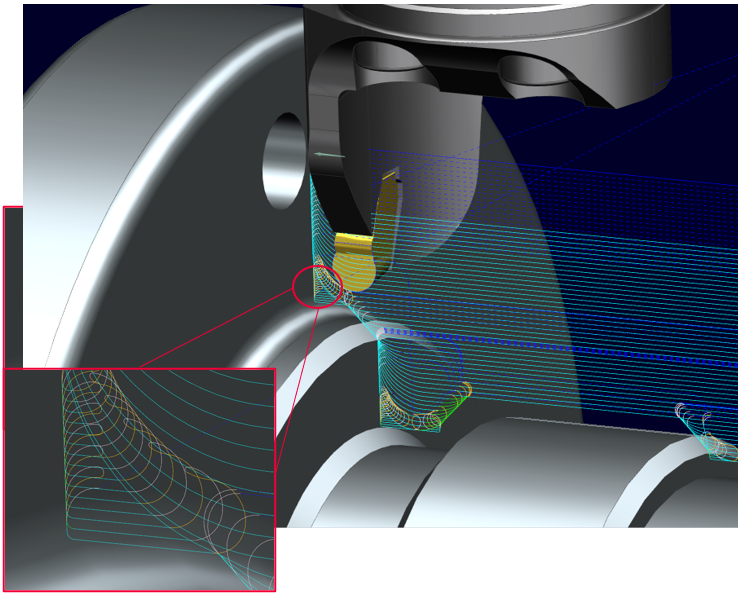
The Contour Profile feature now provides enhanced control over toolpaths at sharp corners during Swarfing operations.
When machining with the side of the tool, sudden changes in direction at sharp corners can increase tool load, create unwanted cutting marks, or reduce surface quality. The latest enhancements address these issues through:
Users can apply smoothing to all passes or exclude the final finishing pass, allowing them to protect the cutting tool while maintaining the required surface quality.
According to the release documentation, this enhancement is scheduled for implementation in NX 2606.3000.
.jpg)
.jpg)
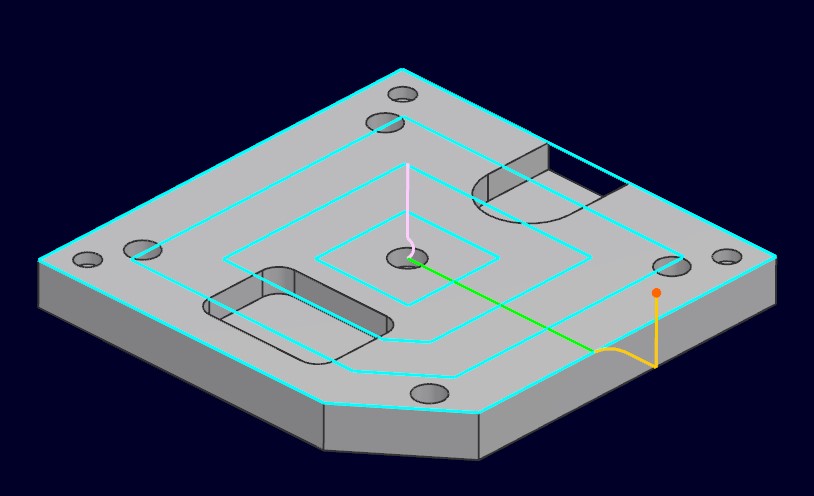
The Facing Spiral operation now includes the Follow Periphery pattern, allowing the toolpath to follow the outer boundary of the part and gradually move inward.
This strategy is well suited for surfaces with irregular boundaries, while also providing a more modern user experience and faster toolpath generation compared with previous workflows.
Two key groups of parameters have been added:
These options help balance complete surface coverage with safe tool engagement around the part perimeter.
.jpg)
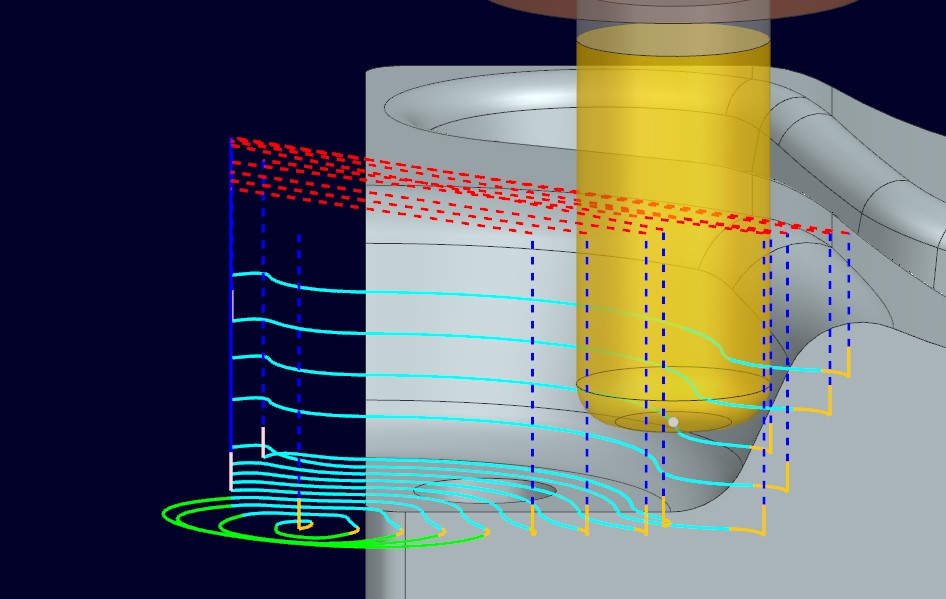
NX CAM 2606 adds Bottom Up Cutting to the Quick Roughing operation.
Instead of roughing in the traditional top-down sequence, the tool can progressively machine cutting layers from the bottom upward. This approach can be beneficial for certain deep geometries or specific material conditions, where bottom-up cutting can help reduce vibration, improve chip evacuation, or maintain more consistent tool engagement.
Users can choose to create progressive cutting layers:
In addition, NX CAM allows users to define the Step-Up Distance and filter out excessively short cutting segments, minimizing inefficient short movements when machining complex geometries.
One of the notable performance improvements is the introduction of Multi-Threaded Processing for Flow Mill toolpath calculations.
When Cut Regions are saved within an operation, the system can distribute calculations across multiple processor cores instead of processing them sequentially on a single thread.
Benchmark results in the release documentation show processing time reductions ranging from approximately 26% to more than 54%, depending on program complexity. Across four tests involving 57 operations, the average improvement was approximately 41%, reducing total calculation time from around 2,992 seconds to 1,763 seconds.
This enhancement is particularly valuable for large or complex parts with numerous Flow Mill operations, allowing programmers to test, adjust, and regenerate toolpaths more quickly.
Rough Turn Adaptive – Adaptive Roughing Strategy for Turning
For Turning, the main highlight of NX CAM 2606 is the Rough Turn Adaptive strategy.
This is one of the capabilities requested by many customers in the aerospace industry, particularly for machining difficult-to-cut materials such as Hastelloy and Inconel. Before this release, many companies had to rely on third-party solutions to implement adaptive roughing strategies for turning. NX CAM 2606 now integrates this capability directly into the platform.
Rough Turn Adaptive optimizes roughing toolpaths by maintaining a more consistent level of material engagement throughout the cutting process. This is particularly important when using high-cost ceramic inserts to machine hard alloys.
One of the core features is Chip Thickness Control. Instead of allowing chip thickness to vary significantly across different areas of the geometry, the system maintains a more consistent chip load. This helps to:
NX CAM 2606 also improves engage and retract motions, allowing the tool to enter and exit the material more smoothly. This helps minimize impacts that could cause chipping or cracking of relatively brittle ceramic inserts.
Corner cleanup passes are used to remove material more consistently in transition areas, helping to prevent uneven tool wear and improve the accuracy of the roughing process.
By integrating Rough Turn Adaptive directly into NX CAM, the workflow also provides better data continuity with simulation, machine setup, and post-processing, eliminating the need to transfer data through an external solution.
The enhancements in Milling and Turning show that NX CAM 2606 focuses on four key objectives:
Many operations have been consolidated or enhanced to process multiple regions within a single setup. This helps reduce the number of operations, minimize repetitive tasks, and simplify the CAM program tree.
Optimized non-cutting motions, machining sequences, tool entry movements, and roughing strategies help reduce idle time while maintaining safer and more controlled tool motion.
Enhanced corner handling, feed rate adjustments, toolpath smoothing, and cutting load control help maintain more stable machining conditions, resulting in improved surface quality and part accuracy.
The Rough Turn Adaptive strategy, chip thickness control, and smoother engage and retract motions help distribute cutting loads more evenly, particularly when machining difficult-to-cut materials with high-cost cutting tools.
NX CAM 2606 is an update strongly focused on the real-world efficiency of programming and machining processes.
For Milling, eight new enhancements expand tool selection capabilities, provide greater toolpath control, reduce setup time, and accelerate toolpath calculation. For Turning, Rough Turn Adaptive brings adaptive roughing directly into NX CAM, providing more effective support for machining difficult-to-cut alloys.
These updates help manufacturers build machining workflows that are faster, more stable, and easier to control, from programming through to operation on the CNC machine.