
Phiên bản Designcenter NX 2606 tiếp tục khẳng định định hướng phát triển một nền tảng thiết kế kỹ thuật toàn diện, linh hoạt và có khả năng hỗ trợ xuyên suốt quá trình phát triển sản phẩm. Với trọng tâm là tinh giản quy trình làm việc, nâng cao độ ổn định và cải thiện năng suất, phiên bản mới mang đến nhiều cập nhật đáng chú ý trong các nhóm tính năng Core Design, Advanced Shape Design và Algorithmic Modeling.
Các cải tiến trong NX 2606 không chỉ giúp kỹ sư thao tác nhanh hơn mà còn tăng khả năng kiểm soát mô hình, duy trì tính liên kết của dữ liệu và hỗ trợ tốt hơn cho các quy trình thiết kế phức tạp.
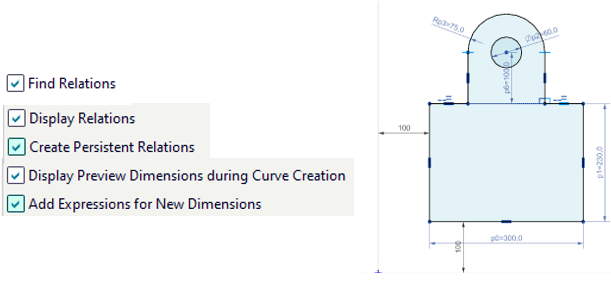
Một trong những điểm nhấn quan trọng nhất của NX 2606 là khả năng tạo và quản lý Persistent Relations trong quá trình dựng Sketch.
Các quan hệ hình học có thể được tự động nhận diện và duy trì khi người dùng:
Người dùng cũng có thể kiểm tra, hiển thị hoặc loại bỏ từng quan hệ một cách chủ động. Những quan hệ đã bị xóa sẽ không tự động xuất hiện trở lại, từ đó hạn chế tình trạng Sketch bị ràng buộc ngoài ý muốn.
Cải tiến này đặc biệt phù hợp với các mô hình có Sketch phức tạp, nhiều kích thước và yêu cầu kiểm soát chặt chẽ về hình học.
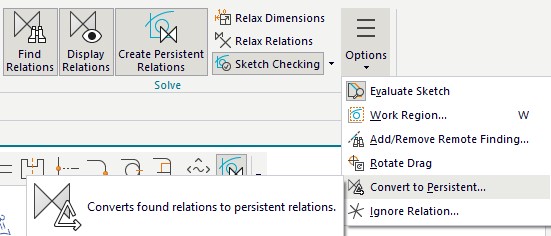
NX 2606 cải thiện đáng kể độ ổn định khi chỉnh sửa một Sketch không hoạt động.
Trong phần lớn trường hợp, hệ thống chỉ sử dụng những quan hệ đã tồn tại tại thời điểm hoàn tất Sketch và không tự động tạo thêm quan hệ mới trong quá trình chỉnh sửa. Nhờ đó, kết quả chỉnh sửa trở nên dễ dự đoán hơn, đồng thời rút ngắn thời gian giải bài toán ràng buộc.
Khả năng duy trì kết nối ban đầu giữa các đường cong cũng giúp hạn chế lỗi hình học khi người dùng thay đổi kích thước, vị trí hoặc cấu trúc của Sketch. Bên cạnh đó, lệnh Show Movable được đổi tên thành Evaluate Sketch, giúp người dùng dễ dàng nhận biết và đánh giá các đối tượng vẫn còn khả năng dịch chuyển.

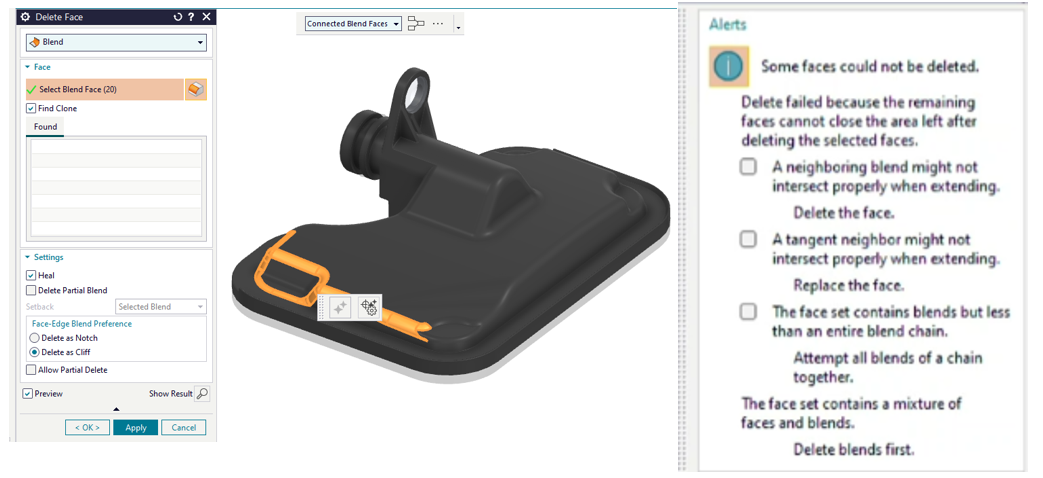
Tính năng Delete Face trong Synchronous Modeling được nâng cấp nhằm hỗ trợ hiệu quả hơn cho các quy trình đơn giản hóa mô hình trước khi phân tích CAE.
NX 2606 cho phép xóa các bề mặt thuộc nhiều body khác nhau trong cùng một thao tác. Trong trường hợp một số bề mặt không thể xóa, lệnh vẫn có thể hoàn tất với những đối tượng hợp lệ và cung cấp thông tin cụ thể về các bề mặt bị lỗi.
Cải tiến này giúp kỹ sư giảm thời gian làm sạch mô hình, đặc biệt khi cần loại bỏ các lỗ, bo góc hoặc chi tiết nhỏ không cần thiết trước khi chia lưới và thực hiện mô phỏng.
Pattern Feature được mở rộng để hỗ trợ thêm các feature có tính phụ thuộc hoặc có tác dụng chỉnh sửa hình học.
Bên cạnh những tính năng đã được hỗ trợ từ phiên bản trước như Replace Face, Divide Face và Offset Curve in Face, NX 2606 bổ sung thêm:
Việc mở rộng này đặc biệt hữu ích đối với các mô hình pattern biến thiên, trong đó mỗi phần tử cần có sự điều chỉnh riêng thay vì chỉ sao chép một hình học giống nhau. Nhờ đó, kỹ sư có thể xây dựng các cấu trúc phức tạp nhưng vẫn giữ được tính tham số và liên kết của mô hình.

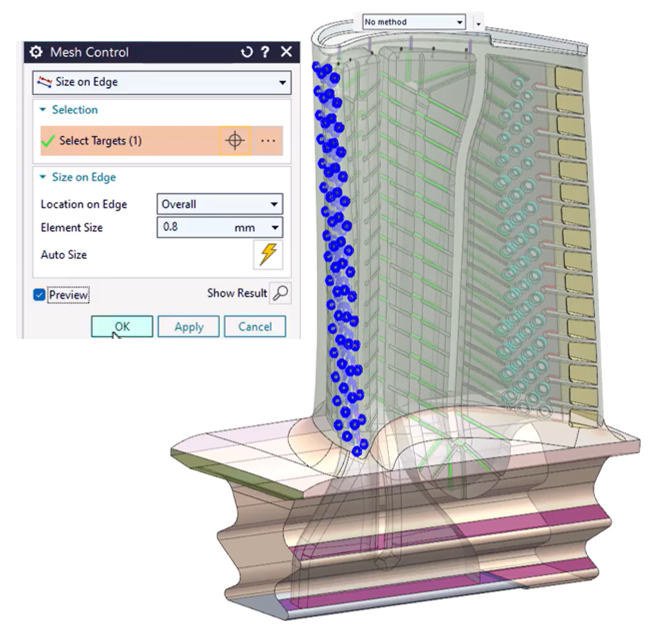
NX 2606 nâng cao khả năng liên kết dữ liệu giữa thiết kế và mô phỏng thông qua Object Groups kết hợp với các thuộc tính.
Các mặt và cạnh có thể được nhóm theo điều kiện logic bằng Selection Intent và Selection Program. Những thuộc tính được gán cho Object Groups vẫn được bảo toàn khi hình học được WAVE Link sang môi trường khác.
Nhờ đó, các điều kiện biên, tải trọng, vùng chia lưới tinh chỉnh hoặc các thông tin phục vụ mô phỏng có thể được áp dụng theo phương thức liên kết. Khi mô hình thiết kế thay đổi, dữ liệu phục vụ mô phỏng cũng có khả năng được cập nhật nhất quán hơn.
Leveraging Attributes for Mesh Refinements
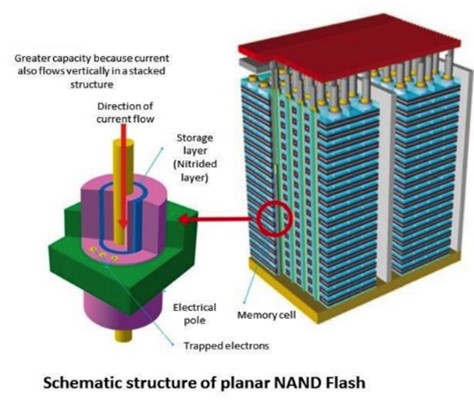
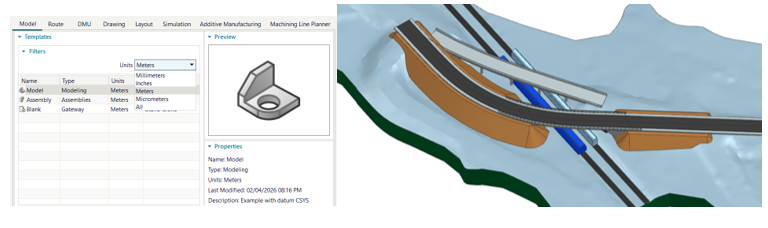
Tính năng Extended-Scale Modeling cho phép NX 2606 xử lý các mô hình có kích thước từ cấp nanomet đến nhiều kilomet.
Khi đặt đơn vị chi tiết ở mức micromet, người dùng có thể tạo các đặc trưng ở cấp nanomet, phù hợp với ngành bán dẫn, MEMS và thiết bị vi mô. Ngược lại, đơn vị mét có thể được sử dụng cho các thiết kế ý tưởng quy mô lớn như công trình xây dựng hoặc mô hình có vị trí cách xa gốc tọa độ.
Khả năng này mở rộng phạm vi ứng dụng của NX, giúp cùng một nền tảng có thể đáp ứng nhiều yêu cầu thiết kế chuyên ngành khác nhau.
Nanometer sized features
Large construction projects
Trong Advanced Shape Design, các lệnh Sew và Combine được cải thiện đáng kể về tốc độ lựa chọn những sheet body có kết nối hoặc tiếp tuyến với nhau.
Thuật toán nhận biết không gian mới giúp người dùng nhanh chóng lựa chọn và ghép hàng trăm sheet body, đồng thời vẫn tuân thủ cấu trúc phân chia của từng chi tiết thông qua Selection Intent.
Đây là cải tiến có giá trị lớn đối với các mô hình bề mặt phức tạp được nhập từ hệ thống khác hoặc các sản phẩm có số lượng sheet body lớn.

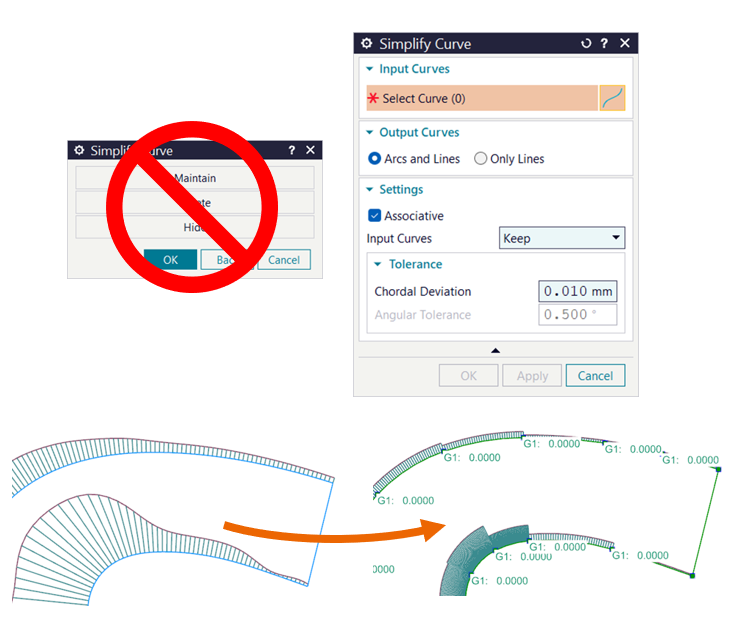
Lệnh Simplify Curve được hiện đại hóa, cung cấp quy trình ổn định và hoàn toàn associative để chuyển đổi spline phức tạp thành chuỗi cung tròn và đoạn thẳng có tính liên tục tiếp tuyến.
Người dùng có thể lựa chọn:
Việc đơn giản hóa spline giúp cải thiện chất lượng dữ liệu cho các công đoạn tiếp theo như gia công, xuất bản vẽ, đo kiểm hoặc trao đổi dữ liệu với những hệ thống khác.
NX 2606 bổ sung các điều kiện liên tục trực tiếp trong lệnh Swept, cho phép người dùng xác định độ liên tục tại section đầu, section cuối hoặc đồng thời tại cả hai đầu.
Khả năng này giúp tạo ra các bề mặt chuyển tiếp chính xác và mượt hơn, đặc biệt trong thiết kế kiểu dáng, vỏ sản phẩm, chi tiết khí động học và các sản phẩm yêu cầu chất lượng bề mặt cao.
Các tùy chọn mới cũng được xây dựng đồng nhất với những công cụ tạo bề mặt khác trong Designcenter, giúp quy trình thao tác trở nên trực quan và nhất quán hơn.

Trong Algorithmic Modeling, NX 2606 tập trung cải thiện trải nghiệm làm việc với Logic Editor.
Các danh sách tùy chọn dạng Enum có thể được điều khiển bằng rule. Giá trị được lựa chọn trong một danh sách có thể quyết định nội dung hiển thị của danh sách tiếp theo, giúp xây dựng các hộp thoại thông minh và phù hợp hơn với từng ngữ cảnh thiết kế.
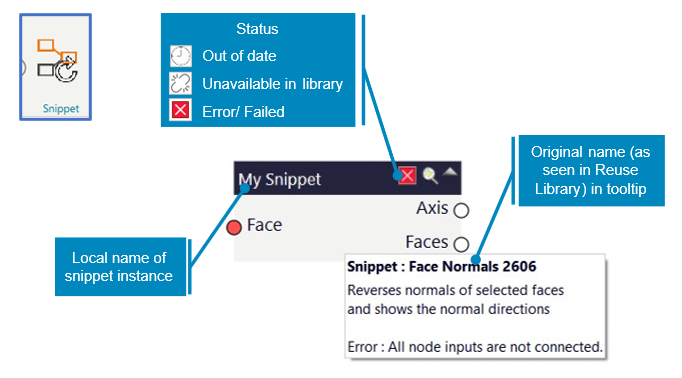
Tính năng Snippet cũng được nâng cấp với khả năng:
Những cải tiến này giúp người dùng không chuyên về lập trình dễ dàng tiếp cận Algorithmic Modeling, đồng thời hỗ trợ doanh nghiệp tiêu chuẩn hóa và tái sử dụng logic thiết kế hiệu quả hơn.
Designcenter NX 2606 mang đến một loạt cải tiến thực tế, tập trung trực tiếp vào năng suất và chất lượng của quá trình thiết kế. Từ khả năng kiểm soát Sketch, xử lý pattern, chỉnh sửa hình học đồng bộ đến thiết kế bề mặt và mô hình hóa thuật toán, các tính năng mới đều hướng đến việc giảm thao tác thủ công, tăng độ ổn định và duy trì tính liên kết xuyên suốt dữ liệu sản phẩm.
Với những cập nhật này, NX 2606 không chỉ hỗ trợ kỹ sư giải quyết nhanh hơn các yêu cầu thiết kế hiện tại mà còn tạo nền tảng cho những quy trình phát triển sản phẩm tự động hóa, linh hoạt và có khả năng mở rộng trong tương lai.